Home/How to run a speed dating event
The Dash playbook

How to Host a Memorable Speed Dating Event

A speed dating host with a clipboard, ready to run the night.

What a speed dating night actually looks like inside Dash — six steps from publishing the event to revealing mutual matches, and the small decisions that separate a night daters remember from one they forget.

1. Set clear expectations

The night starts the moment a dater opens your event in Dash. Everything you fill in when you create the event flows through to a tab they can re-read before they walk in. Get these right and you cut no-shows, check-in questions, and “what do I wear?” texts:

The small decisions — venue energy, host warmth, how you close the night — matter more than the logistics nobody notices when they go right.
  • Title and description — set the tone in a sentence or two. Format, vibe, what the night will feel like.
  • Cover image and event avatar — daters see these before they read a word.
  • Dress code — “Smart casual,” “Cocktail,” or a theme. Dash surfaces this on the dater’s Prepare tab.
  • Code of Conduct — use the recommended template or write your own. Daters review it before they RSVP.
  • Number of rounds & time per round (three to five minutes is the sweet spot) — mention this in the description so daters know the pacing.

Once you publish, the Prepare tab is the pre-event guide. No separate email needed — daters can pull it up the morning of the event and find dress code, menu, and the Code of Conduct in one place.

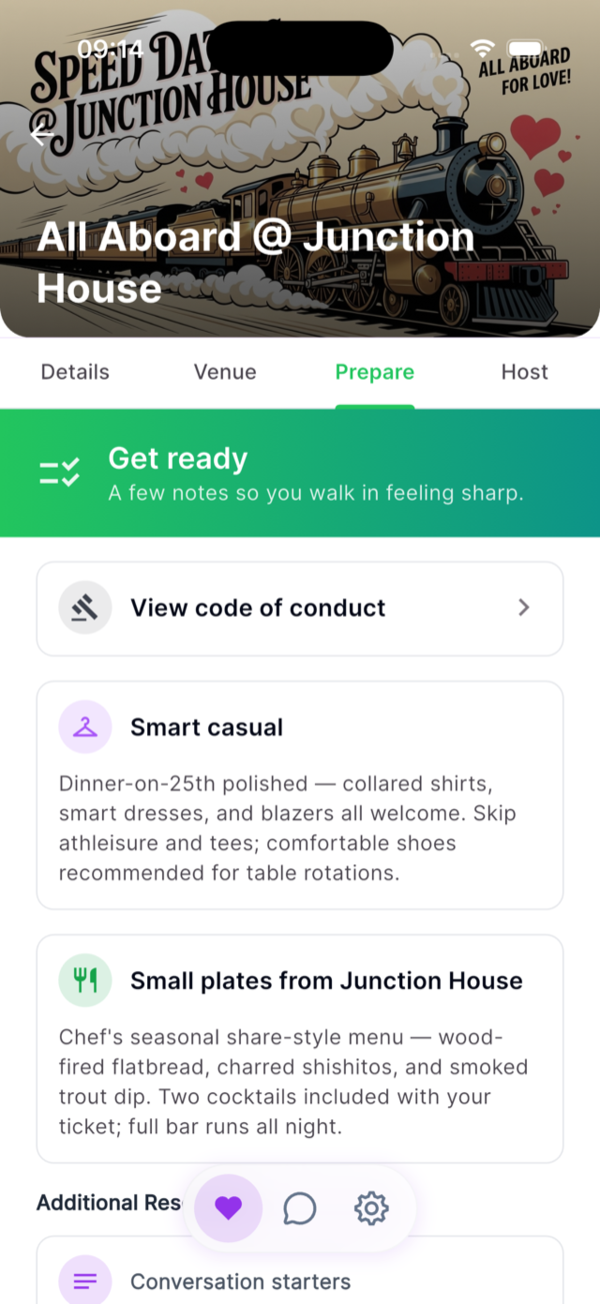
Dater Prepare tab — code of conduct, dress code, menu
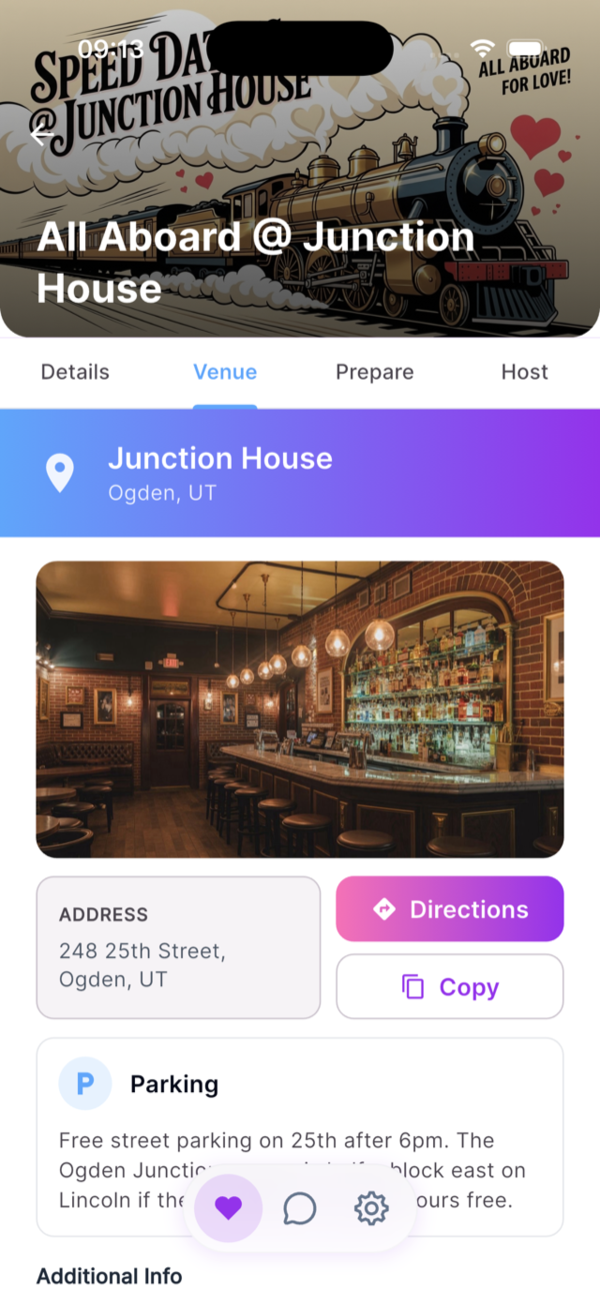
Dater Venue tab — venue photo, address, directions, parking

2. Choose the right venue

Dash doesn’t pick the room for you — this part is on the host, and it sets the ceiling on how well conversations can go. Look for:

  • Good acoustics. If two people at one table cannot hear each other, the night is already fighting uphill.
  • Small tables that seat two comfortably, spaced so adjacent pairs do not listen in.
  • A private or semi-private feel. Back rooms, loft spaces, and off-hours bookings all work.
  • Natural proximity to your audience. Neighborhood bars, coffee shops, and community rooms usually beat big loud nightclubs.

Once you’ve picked it, get it into Dash properly: a photo of the room, the full address, and any parking notes. The dater’s Venue tab turns that into a one-tap navigation button — so nobody’s circling the block at 7:25.

3. Organize efficient check-ins

The first five minutes set the energy for the night. Daters arrived hyped — don’t let them lose that in a queue. With Dash, check-in looks like this:

  • Daters walk in with their QR ticket already pulled up in the app.
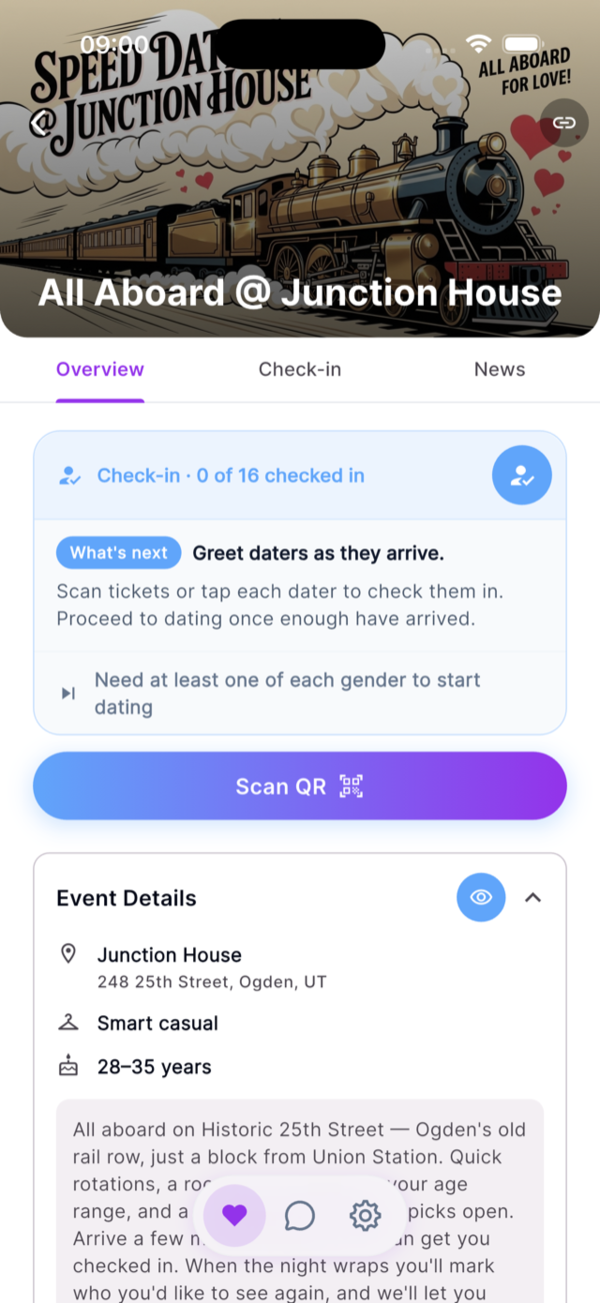
  • Point your phone, scan, done — Dash assigns the table on the spot, balanced one per side.
  • Their screen reveals the table number after the scan. No clipboards, no name tags, no “what’s your last name again?”
  • The Roster tab shows you exactly who’s arrived, who hasn’t, and who’s on the waitlist — one tap to promote when a seat opens.
  • Give the room a minute to grab a drink and settle before you call round one.

What Dash takes off your plate is the manual seating chart and the paperwork. What’s still on you: greeting people warmly, pointing them to the bar, and reading the room before the first round.

Host check-in tab — Scan QR, what’s next, attendance progress
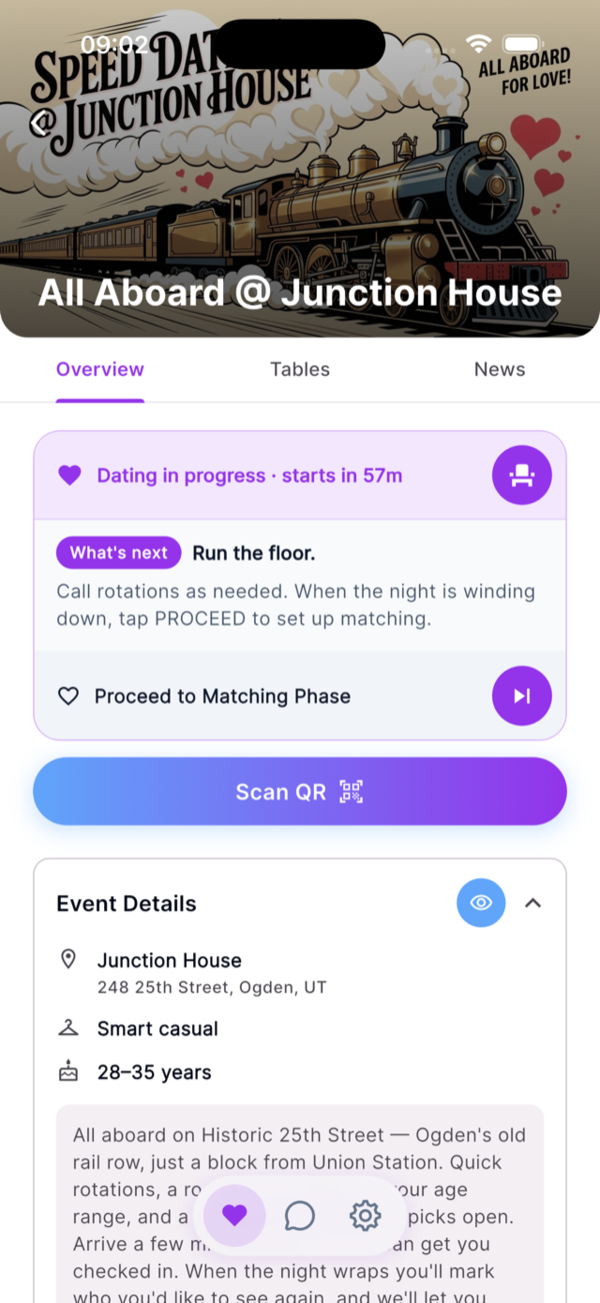
Host dating-phase tab — Dating in progress, Run the floor, Proceed to Matching

4. Run a comfortable, engaging flow

Once daters are checked in, Dash sits in the background on purpose. Your job is pacing the room:

  • Call rounds with a bell, a chime, or your voice — Dash deliberately doesn’t time rounds. Your room, your rhythm.
  • Smooth transitions: a short cue, then a clear rotation direction (men shift, women stay is the most common setup).
  • One short break in the middle so daters can breathe, use the restroom, and reset.
  • Three to five minutes per round is the sweet spot. Eight minutes works for smaller, older, or more conversational groups.

The dater app goes quiet during dating — no notifications, no pop-ups. Daters are at the table, not on their phones. When the last round ends, one tap on your phone moves the event into matching.

5. Open the matching window

When the last round wraps, tap Proceed to Matching Phase. The vibe changes — daters head home (or grab one more drink) and pull out their phones:

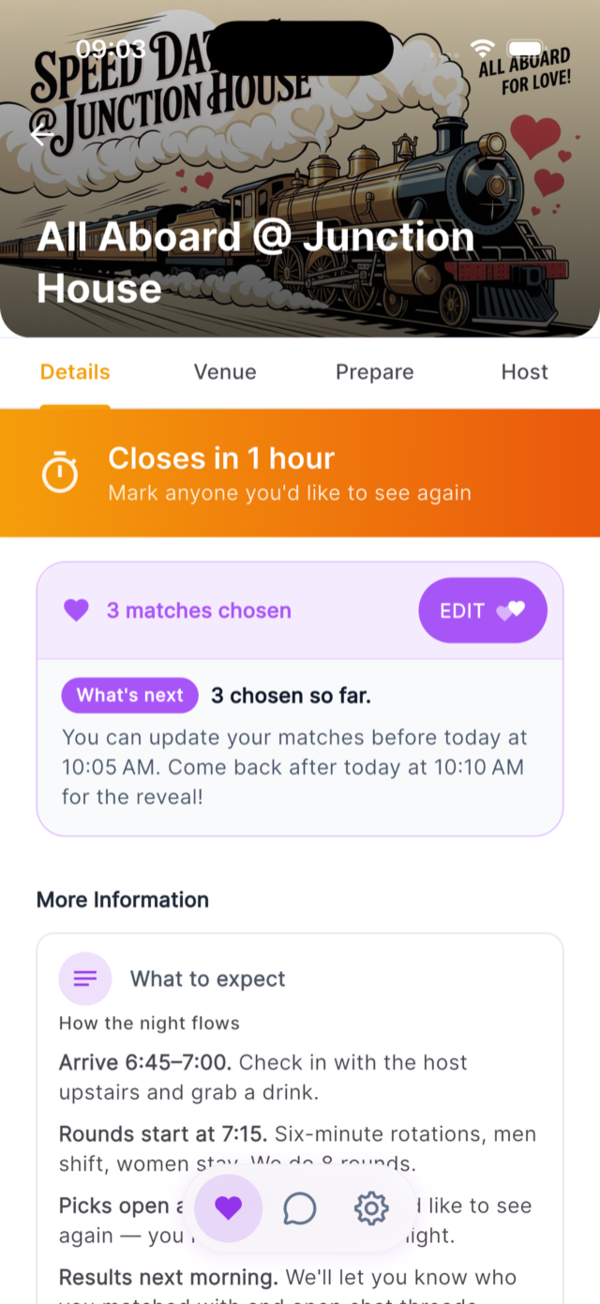
  • Each dater sees a private list of everyone they met. Heart-tap who they’d like to see again. That’s the whole interaction.
  • You set the close time when you open matching. Most hosts go overnight so daters sleep on it and aren’t deciding tipsy — an hour is too quick, the next morning is the sweet spot.
  • Picks are private. No dater sees who picked whom until reveal. Daters can change their mind right up until the timer ends.
  • Normalize it: not every date is supposed to match. A clear “no” is a feature, not a failure.

If you can, tell the room what time matches reveal before they leave. The anticipation is half the fun.

Dater matching tab — closes-in countdown, matches chosen, edit picks
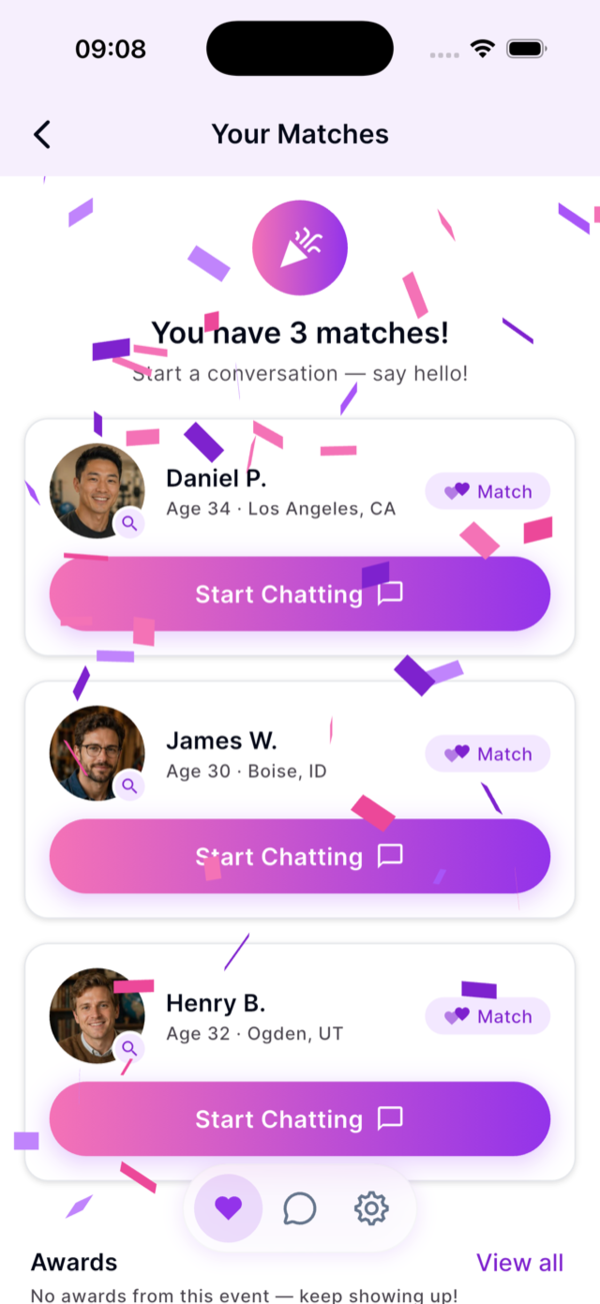
Dater mutual matches reveal with confetti

6. Reveal matches and follow up fast

The difference between a good event and a memorable one is the morning after. Daters want to know who picked them, quickly — Dash handles the close, compute, and reveal automatically:

  • When the matching window hits its close time, Dash auto-computes mutuals and reveals them in-app.
  • Matched daters get a confetti reveal with the names and photos of who picked them back.
  • Daters who didn’t match never see who didn’t pick them. No asymmetry, no awkwardness.
  • Mutuals get a private chat inside Dash — either side can start, no phone-number swap at the venue. Block and report are built in.
  • Your Analytics tab fills in: match rate, gender breakdown, picks per dater, and named superlatives (“Unicorn,” “Most Matched,” “Sharpshooter”).

Pull those stats into your marketing for the next event. A 78% match rate or a “Killer night” superlative is exactly the kind of proof that fills the next room.

Common questions hosts ask

How long should a speed dating event be?

Most in-person events run 90 minutes to two hours, including check-in and a wrap-up. If you have 15 daters per gender at three minutes per round, the dating portion alone is about 45 minutes.

How many daters should my first event have?

Start small. 10 to 15 daters per gender is plenty for a first event. It is easier to run, easier to fill, and easier to learn what to fix for the next one.

What if my event runs heavy on one side?

Almost every event runs heavier on one gender — that’s normal, not a problem. Dash shows your live gender ratio as registrations come in, so you can adjust capacity or waitlist the heavier side if you want a tighter mix. On the night, if one side ends up notably larger, you can pause a round or ask same-gender daters to sit one out — communicating clearly matters more than chasing a perfect ratio.

How do I handle late arrivals?

Just scan them in. Dash lets you check daters in any time during the dating phase — the app drops them into the next open seat without breaking the rotation. If you want a hard cutoff, mention it in the event description so daters see it in their Prepare tab.

Need a hand?

Want 1:1 help running your event?

A 1:1 coaching package for hosts who want a coach in their corner — plan, promo, run-of-show, day-of support, debrief.

Get coaching

Run your next event with Dash

Software built for the way hosts actually run the night.

Start hosting